How We Simplified Enterprise Network Deployment
At Cambium Networks, field installers recorded 60 GHz device details on paper, which operations teams later re-keyed into CSVs to provision. The installer stood right next to the device, yet onboarding depended on another team finishing the job later.
I designed an Installer App inside cnMaestro that lets field technicians onboard devices directly, while administrators keep tight control over which networks and sites they can touch.
01Who, why, and what
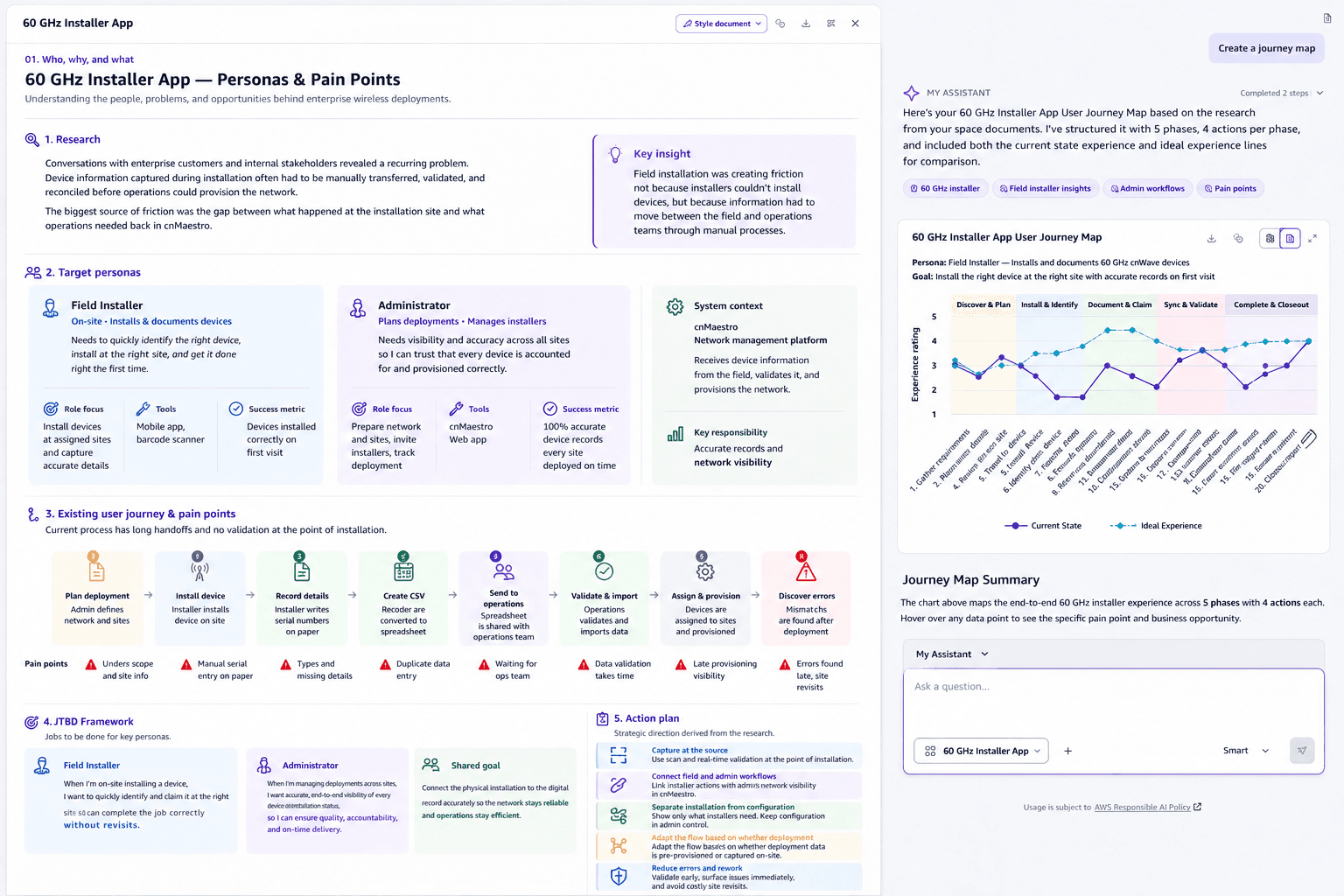
Conversations with enterprise customers Facebook, Amazon and internal stakeholders revealed a recurring problem: device information captured during installation often had to be manually transferred, validated, and reconciled before operations could provision the network.

The biggest source of friction was the gap between what happened at the installation site and what operations needed back in cnMaestro.
Research
Installers could mount and wire the hardware, but couldn't finish onboarding on their own. Every install meant documenting details, handing them off, and waiting on operations to validate and provision.
Devices stayed invisible in cnMaestro until that handoff completed, slowing deployments and adding operational overhead.
Target personas
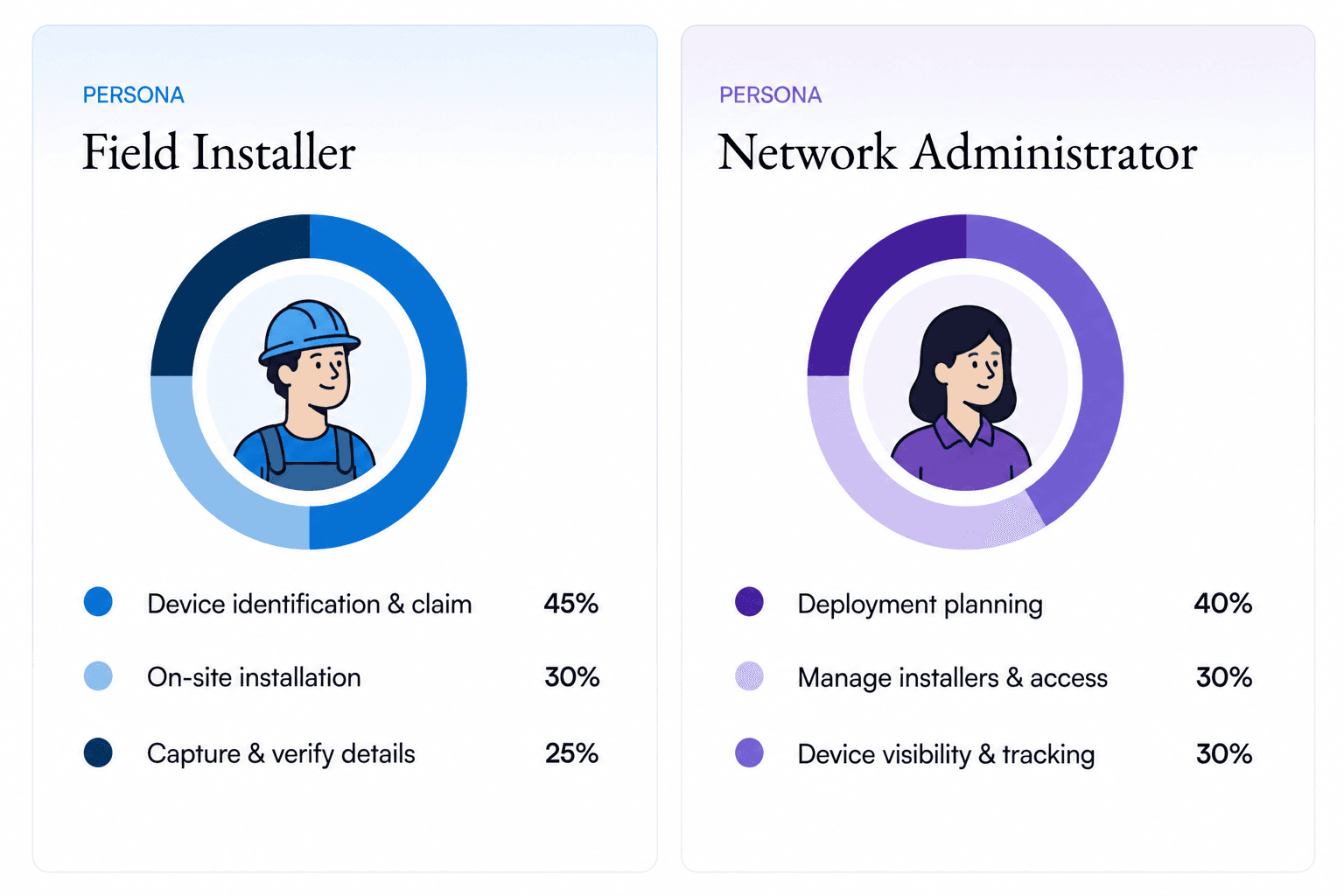
Field installers deploy and document 60 GHz devices on site. Administrators plan deployments, manage installers, and ensure every device is correctly accounted for and provisioned.
Existing user journey with pain points
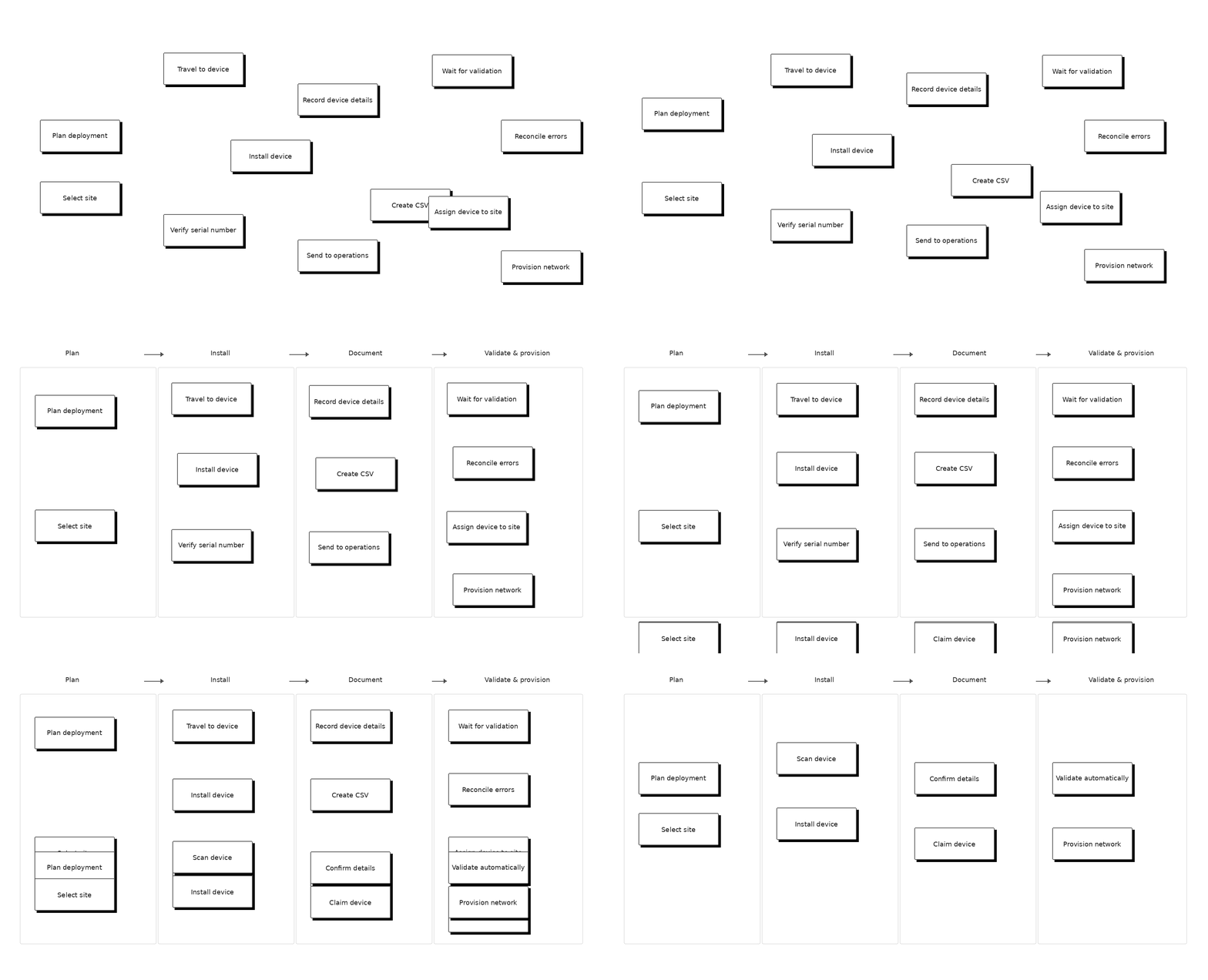
The installation process depended on multiple manual handoffs between the field and operations teams. Installers recorded device details on site, transferred them into spreadsheets, and shared them with operations for validation and provisioning.
This created friction at every handoff. Manual data entry introduced errors, validation happened after installation, and mismatches could force teams to revisit devices in the field.
JTBD Framework
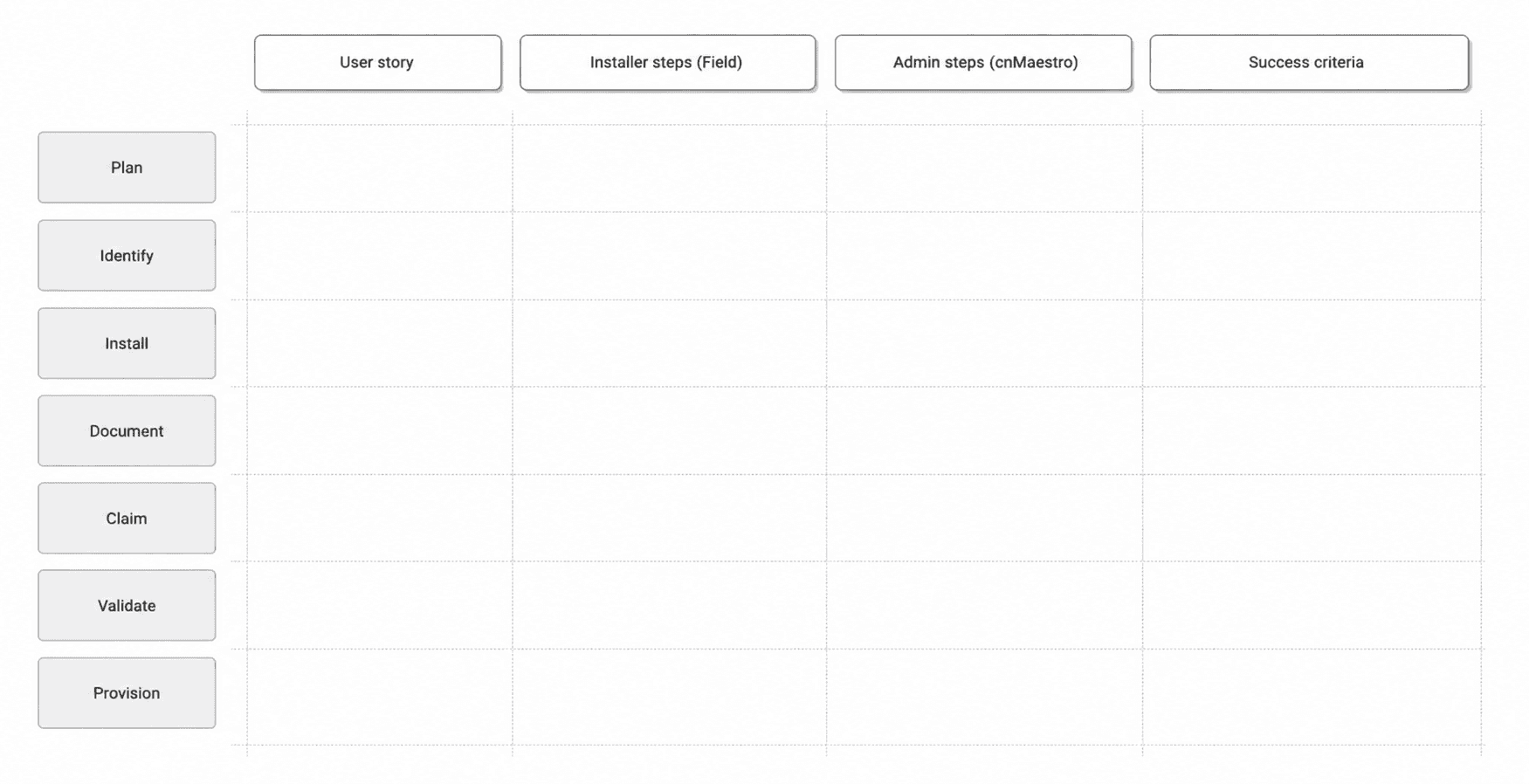
I mapped the key jobs across the 60 GHz installation workflow to understand what installers and administrators need to accomplish, the steps involved, and where the current process creates unnecessary operational effort.
Action plan
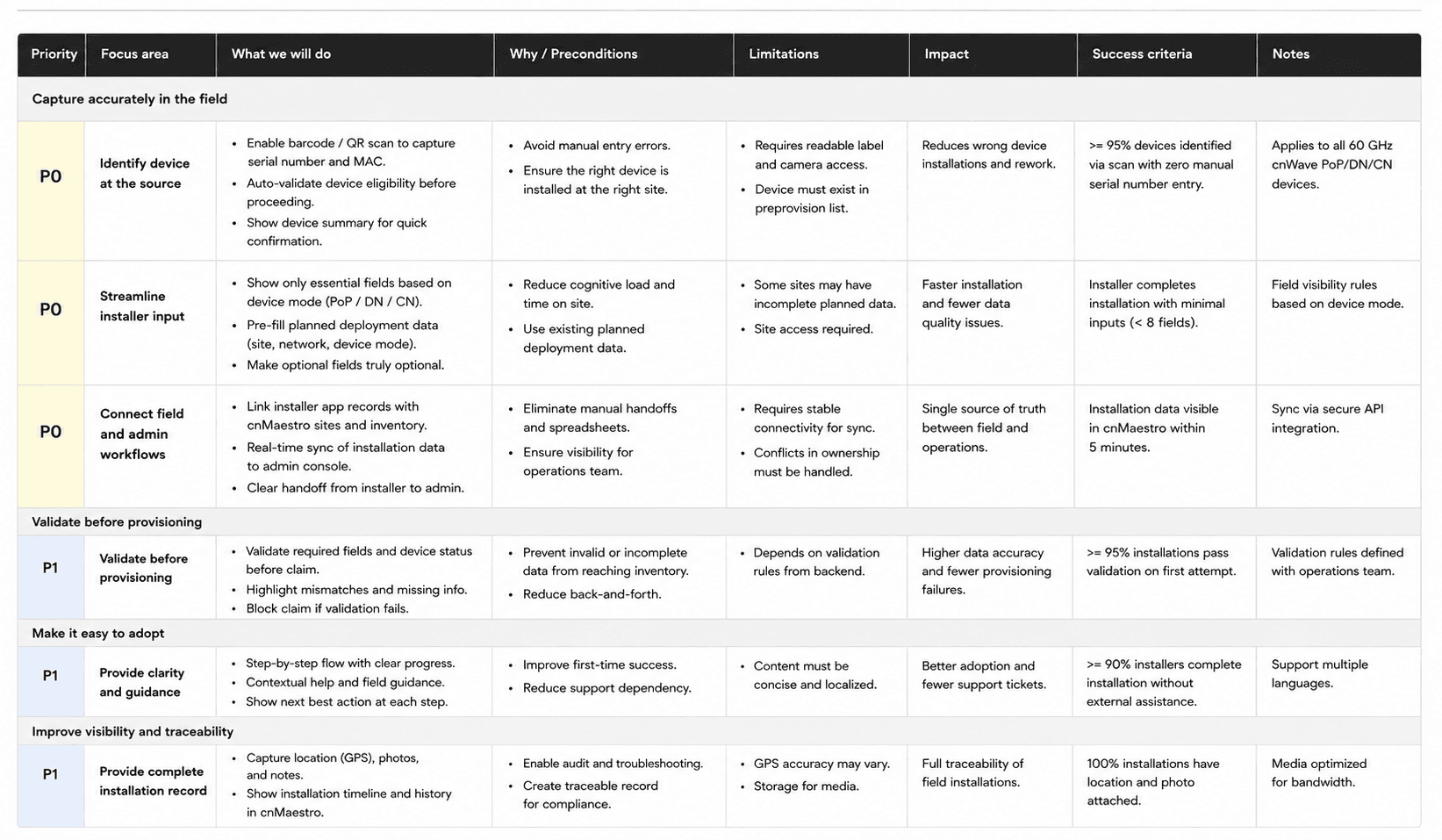
The research helped us focus the first release on reducing manual work between the installer and operations. We prioritized a workflow that captures accurate device information at the source, reduces unnecessary installer input, and validates the data before provisioning.
02Define the foundational user flow and IA
With the problem and priorities clear, I translated the installer journey into a simple end-to-end flow. I defined the information architecture around how installers actually work in the field, from selecting a site and identifying a device to documenting, validating, and provisioning it.
User journey optimization
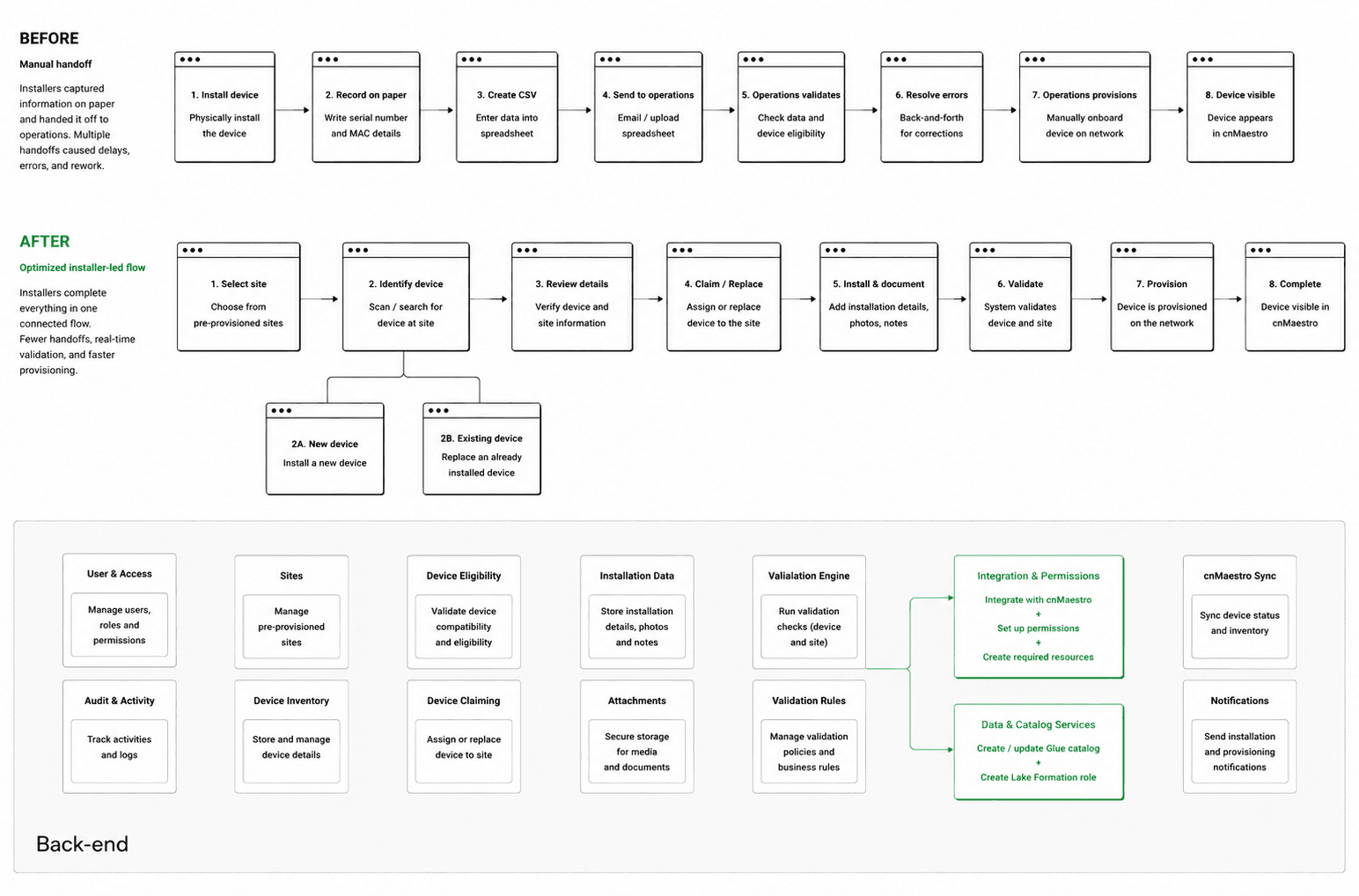
Building on the documented installer journey and its pain points, I reorganized the workflow around the moments that matter in the field. The goal was to reduce manual handoffs, capture device information at the source, and connect installation directly to validation and provisioning.
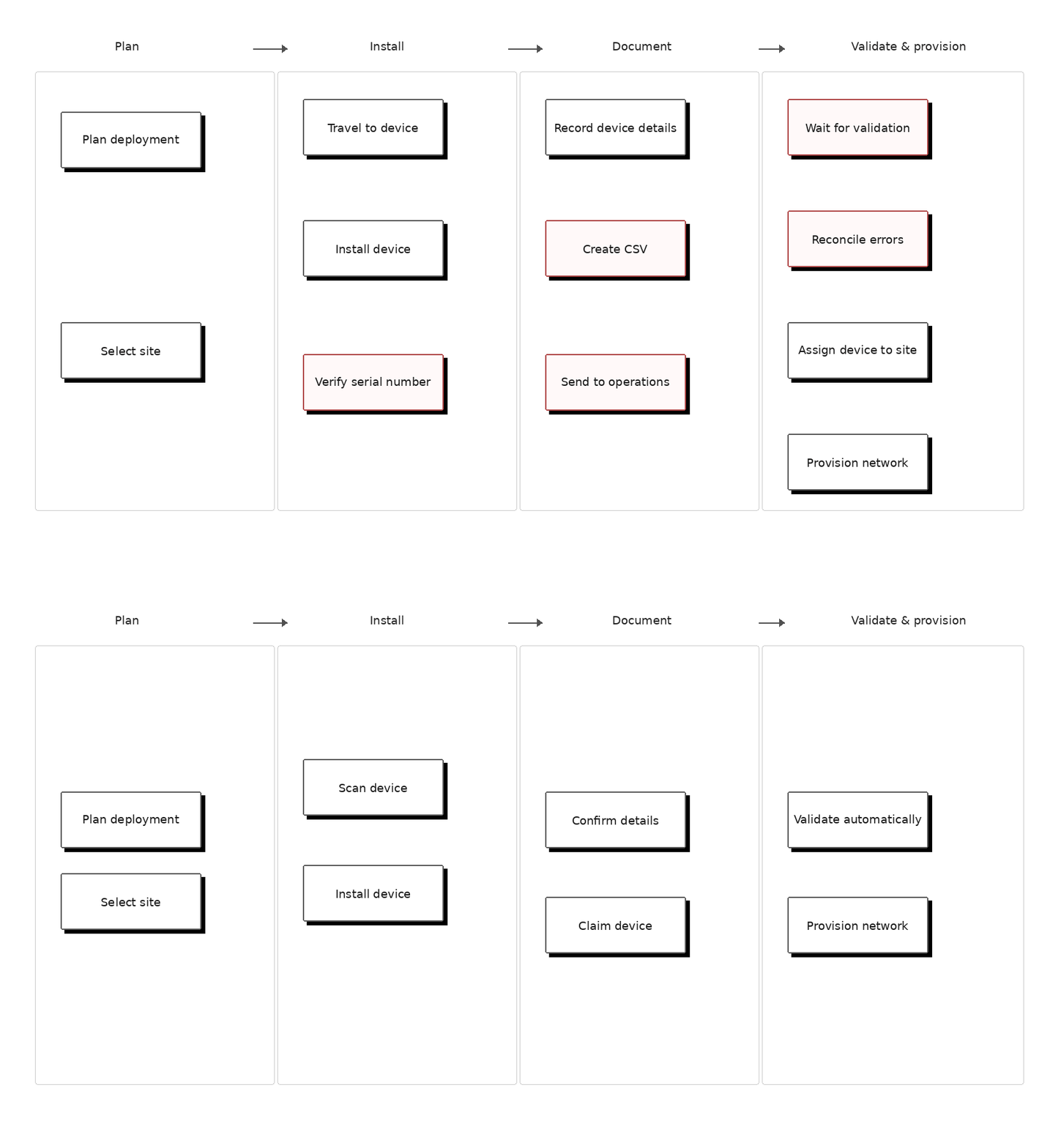
Console information architecture
I ran workshop with the PM and engineering teams to define and align on the console's information architecture.

Console flow exploration
With the information architecture defined, I explored how the installer journey could translate into a simple end-to-end workflow.
The key question was where device identification, site assignment, validation, and provisioning should happen so installers could complete the job without relying on operations.
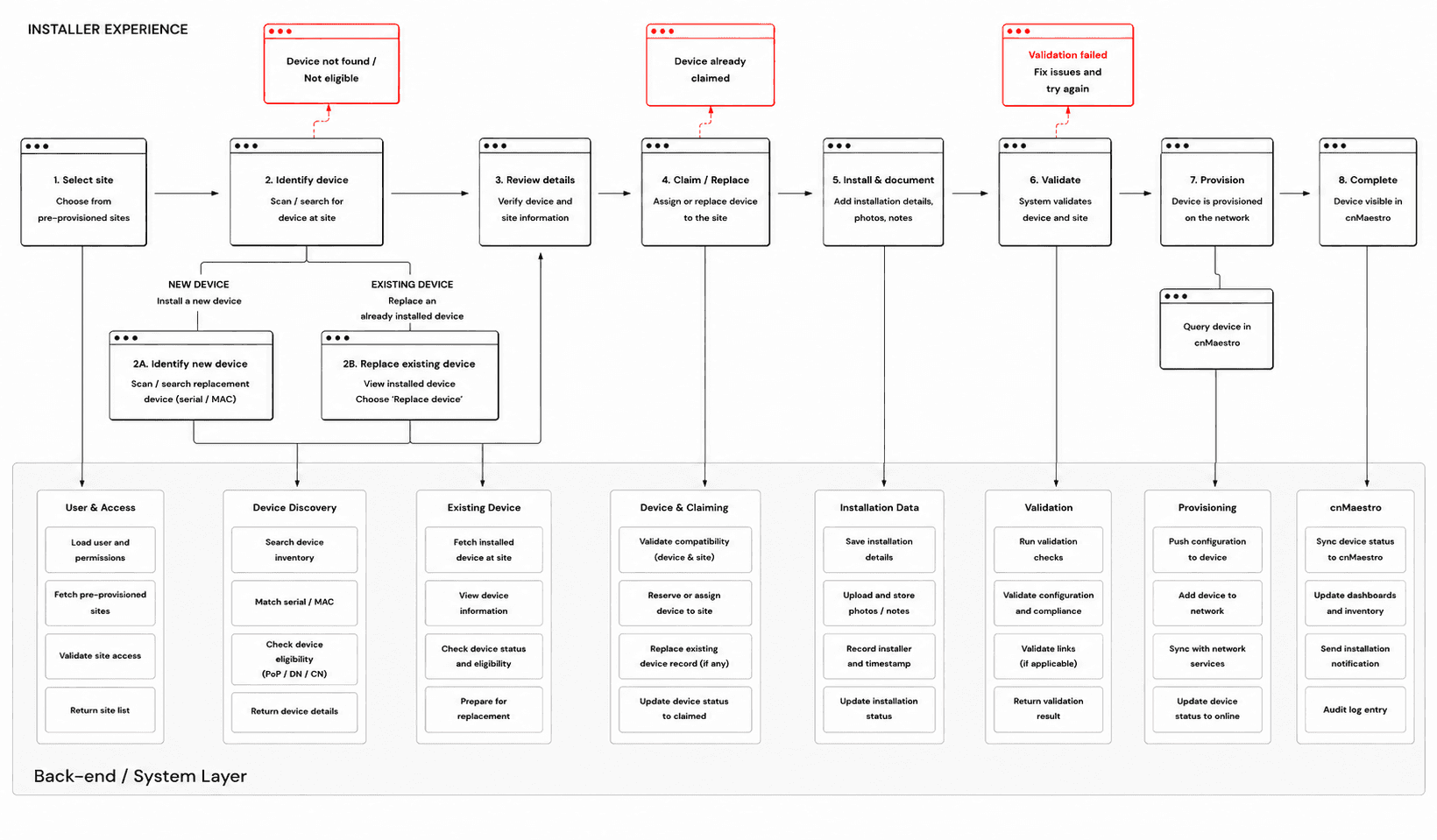
User flow optimization
Acting on those findings, I consolidated device identification, installation details, validation, and provisioning into one installer-led flow. Instead of recording device information on paper and handing it off to operations, installers can capture and verify the device at the point of installation. The flow also supports both new installations and device replacements, while keeping provisioning and network visibility connected to cnMaestro.
03Design evolution
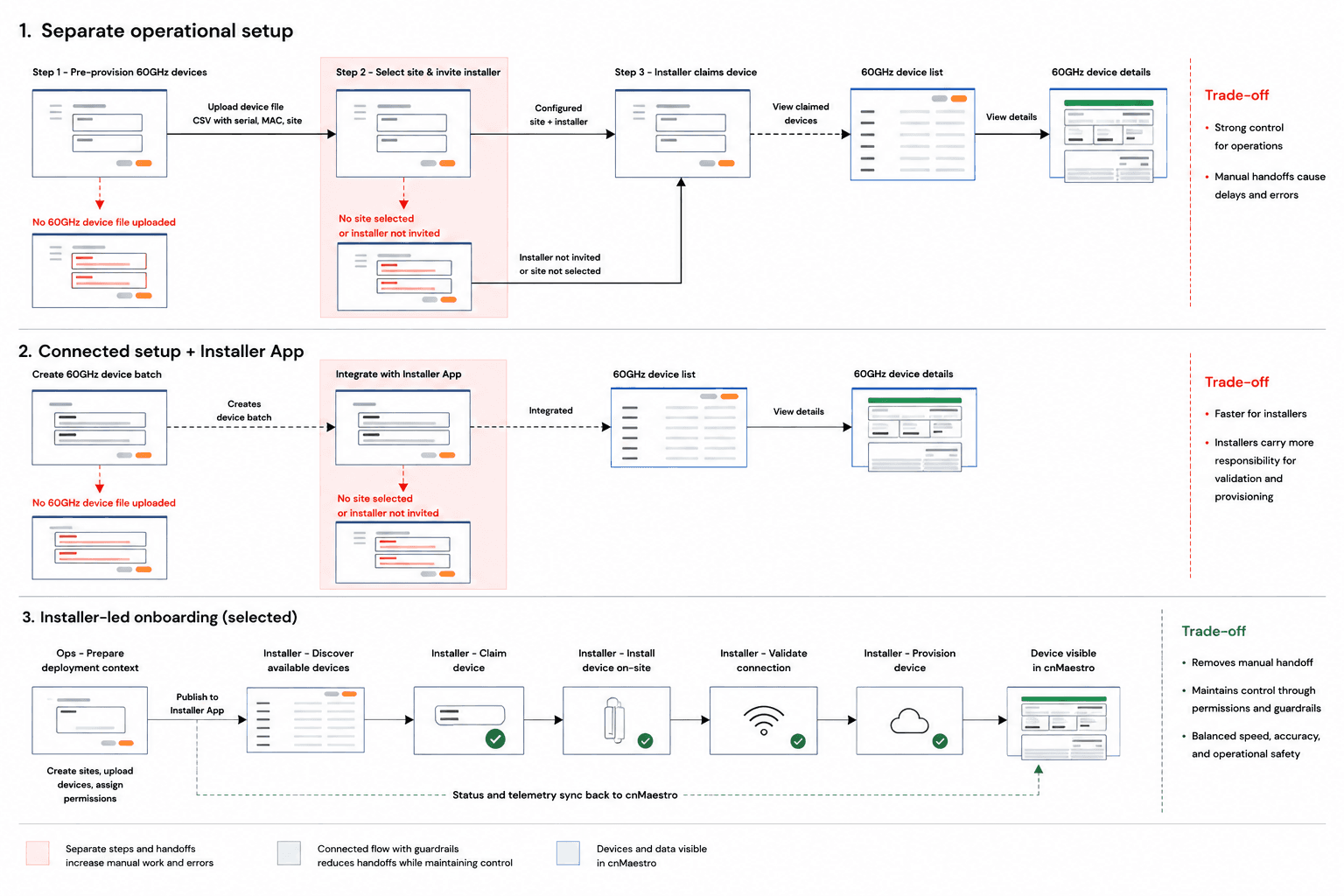
The installer needed to complete device onboarding at the point of installation, but the flow also had to account for pre-provisioned devices, replacements, validation, and administrator-controlled access. I explored different ways to structure the experience and consolidated these moments into a single installer-led flow, allowing technicians to identify, claim or replace, document, validate, and provision a device without relying on a separate operations handoff.
Design ideation
I explored three approaches for onboarding a 60 GHz device: a guided step-by-step flow, a device-first flow that started with scanning, and a site-first flow that connected the device to its deployment context before installation. The key challenge was supporting both new installations and device replacements without adding complexity for field installers.
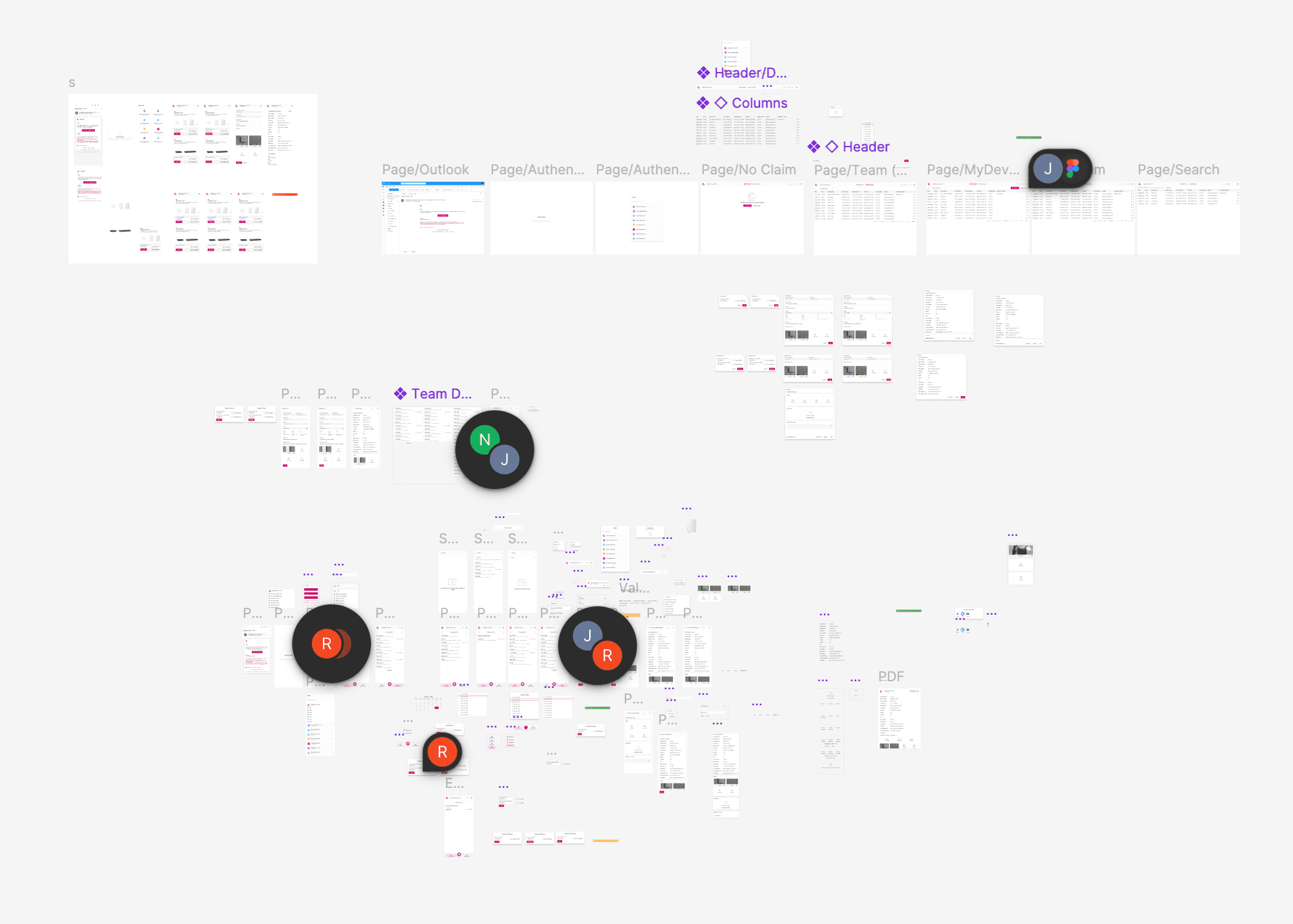
Trade-offs
I explored different ways to connect the administrator’s preparation workflow with the field installer’s workflow. The final direction moved more of the onboarding work to the installer, while keeping administrators in control of sites, permissions, and deployment data.
04Outcome
The Installer App replaces a paper-and-spreadsheet handoff with a self-serve flow, letting field technicians onboard 60 GHz devices on the spot while administrators keep control over sites and access.
FIELD-READY DEVICE ONBOARDING
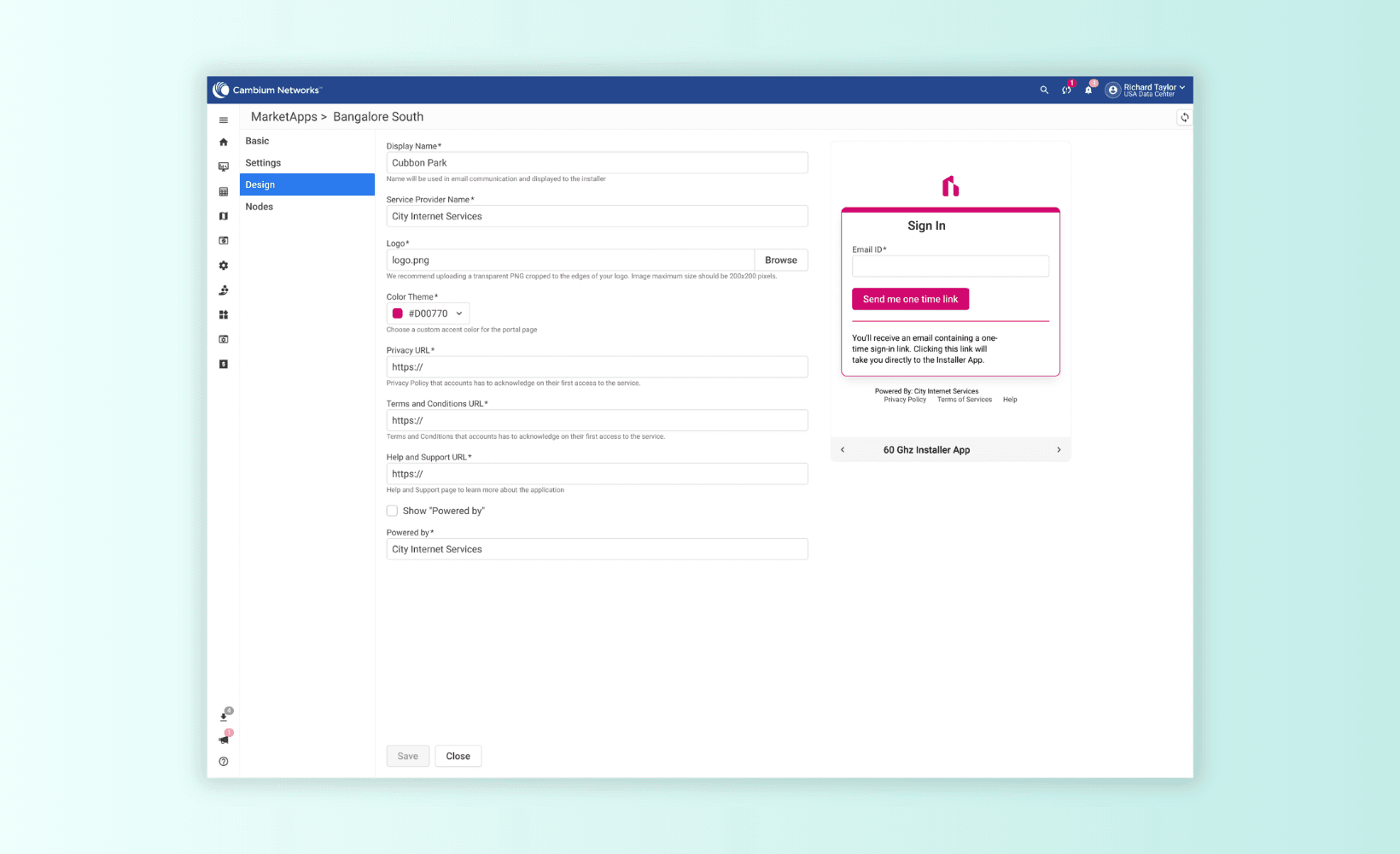
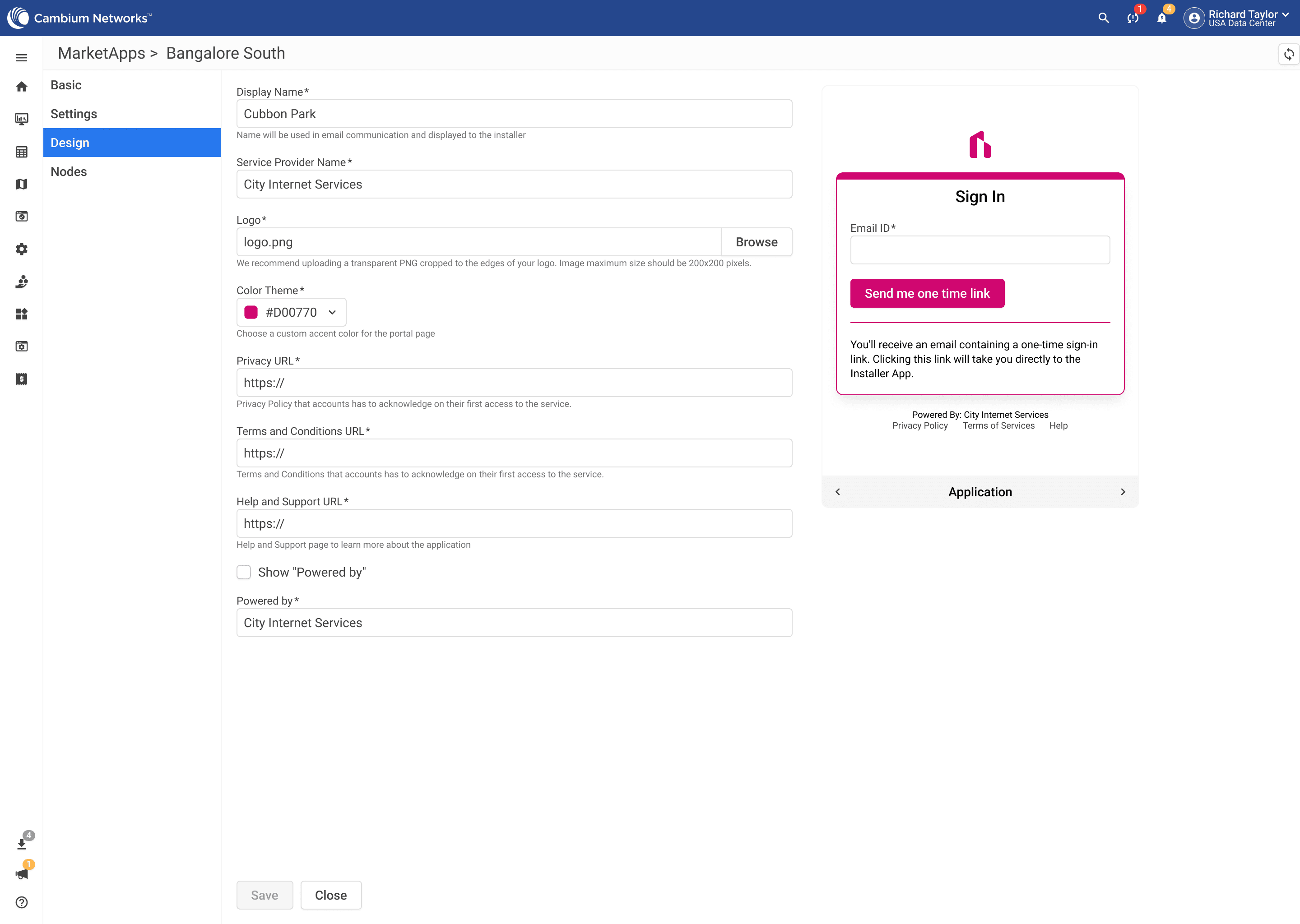
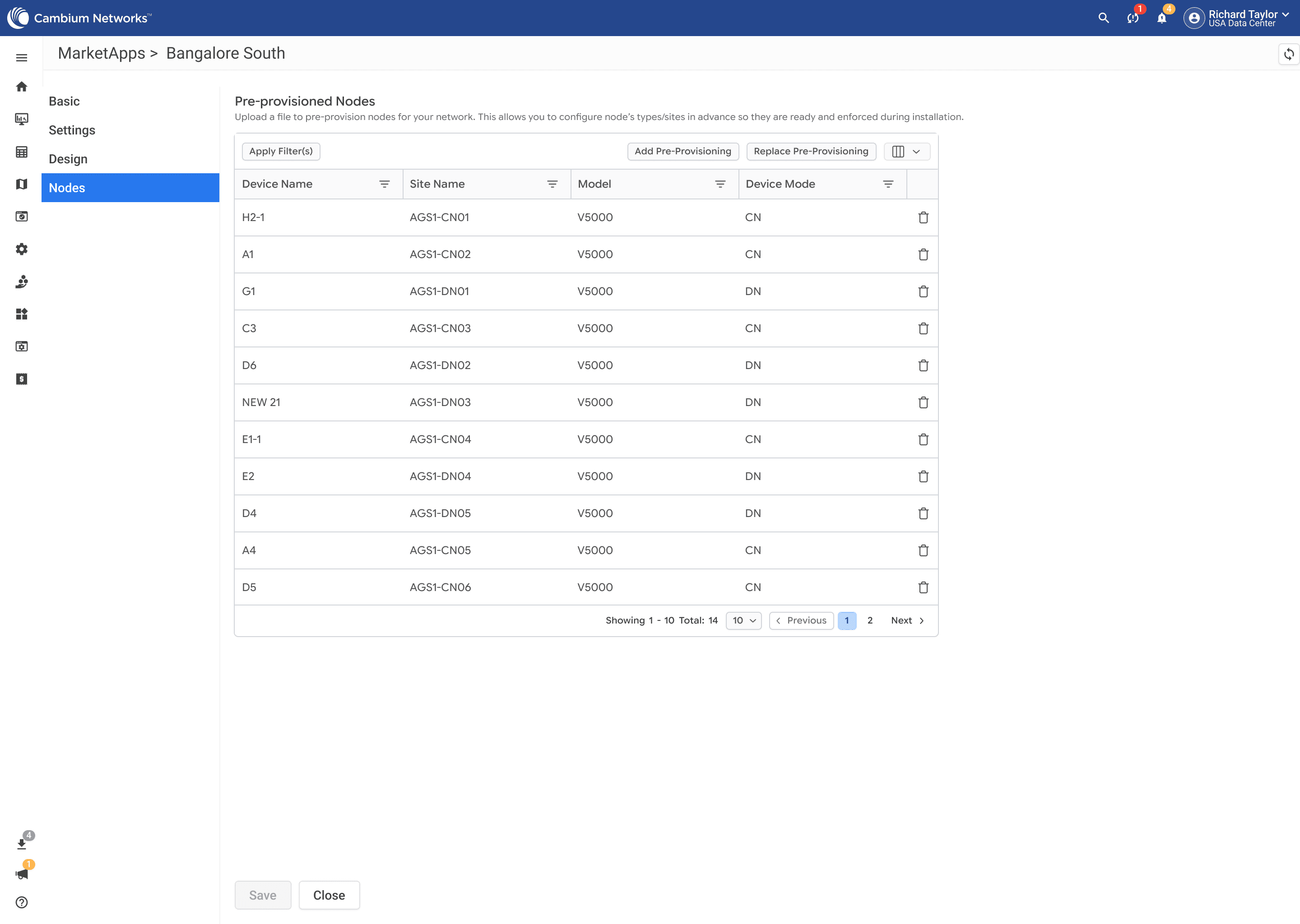
I connected pre-provisioned 60GHz devices in cnMaestro with the field Installer App, giving installers a direct path from discovery to installation. Operations teams retain control over deployment context and permissions, while installers can claim, validate, and provision devices on-site without relying on manual handoffs.
Designed for the field
The Installer App turns a complex network-onboarding process into a focused field workflow. I deliberately kept each screen simple and task-oriented, so installers can identify a device, install it, capture the required details, and confirm completion without navigating the complexity of the underlying system.
The experience also accounts for the realities of field work, including changing light, weather, movement, and limited attention, prioritizing readability, clear actions, and minimal interaction at each step.
When the handoff disappears, installers can focus on the installation—not the coordination around it. The connected workflow lets operations prepare the deployment context in cnMaestro while installers discover, claim, install, validate, and provision devices in the field. Device status and installation information then flow back into cnMaestro.